Looking for an IPTV Player for Mac in 2026? Here’s Why IPTVIQ Deserves Attention
Finding the right IPTV player for macOS is no longer just about whether an application can open an M3U playlist. In 2026, users expect much more from their entertainment software: organized libraries, intuitive navigation, reliable playback, program guides, recording tools, and personalized viewing experiences.
For Mac users exploring these capabilities, IPTVIQ is an application worth discovering.
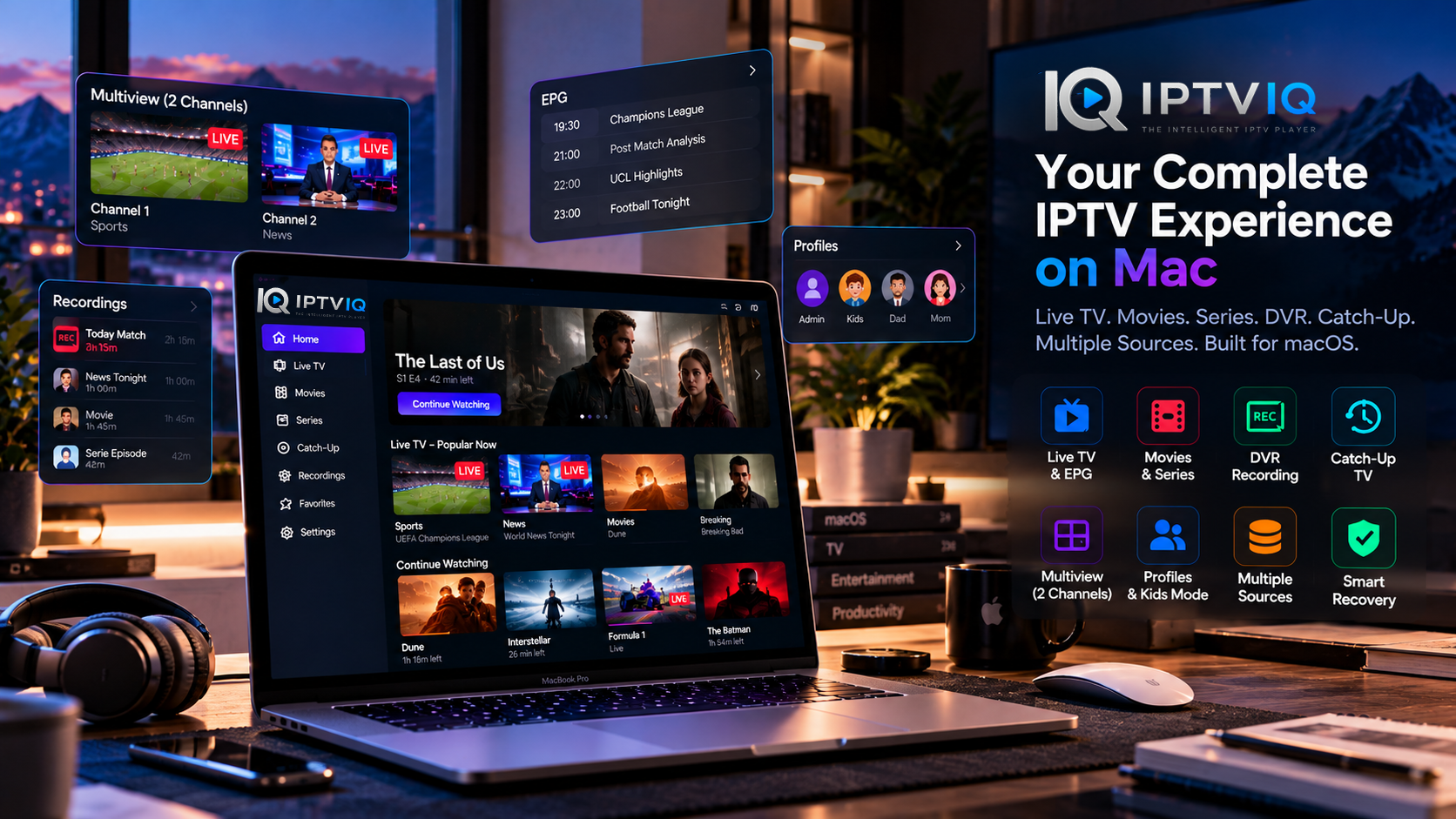
Designed for macOS, IPTVIQ combines live television, on-demand entertainment, multiple IPTV source formats, and advanced playback tools within a single interface.

But what exactly should users look for in a modern IPTV player, and how does IPTVIQ address those expectations?
Let’s explore.
What Makes a Good IPTV Player for Mac in 2026?
A capable IPTV application should make content easier to access rather than adding unnecessary complexity.
For example, consider a user who has access to several legitimate IPTV sources containing hundreds of channels and extensive video-on-demand libraries.
Without proper organization, finding a specific program can become frustrating.
A modern IPTV player should ideally provide:
- Compatibility with common IPTV source formats
- Easy navigation between live channels
- Electronic Program Guide integration
- Separate movie and television series libraries
- Favorites and playback history
- Resume playback functionality
- Recording and Catch-Up capabilities
- Household profiles and parental controls
- Reliable playback recovery
- Flexible network configuration
IPTVIQ brings many of these capabilities together in its Mac application.
Introducing IPTVIQ for macOS
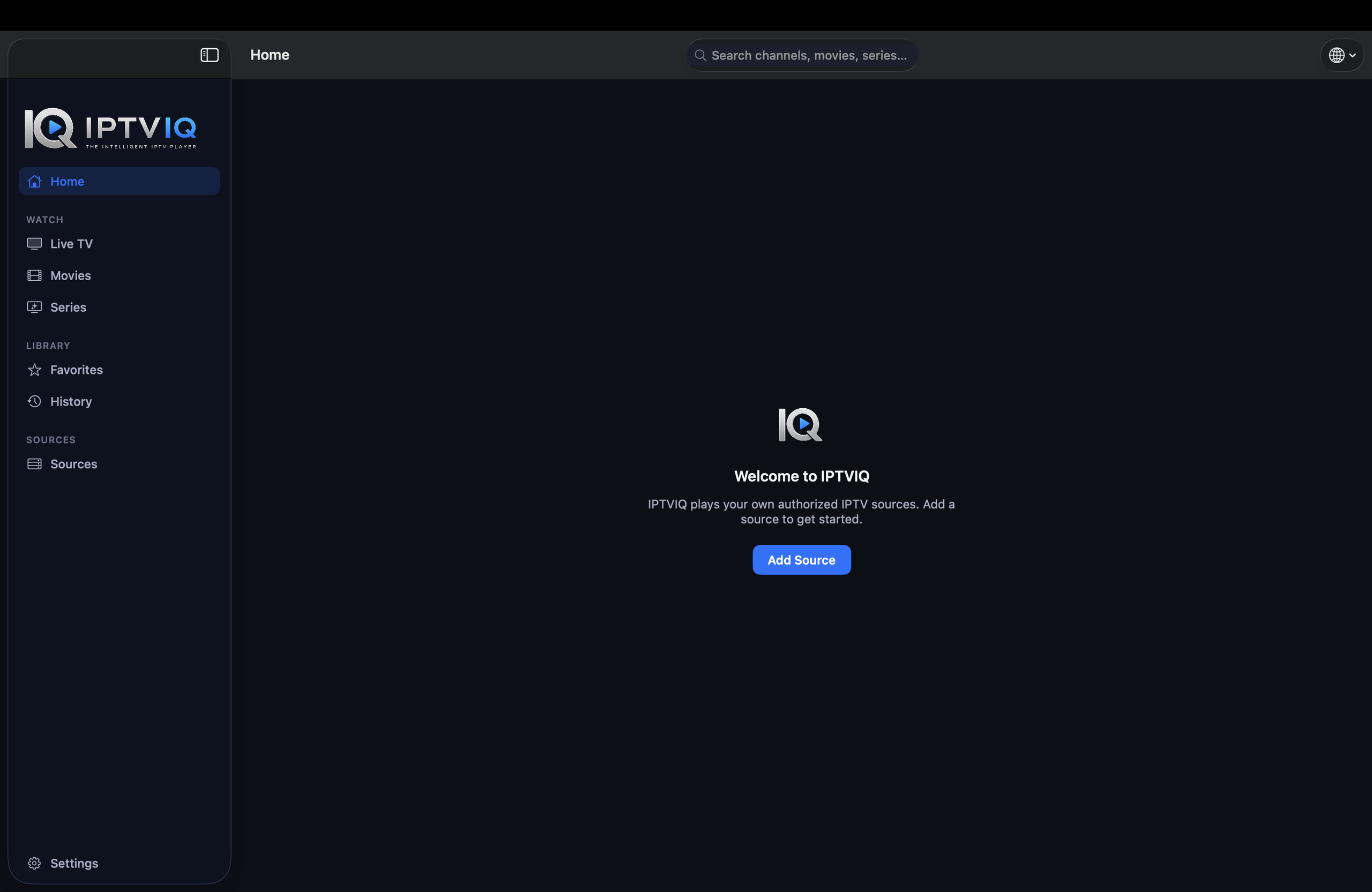
IPTVIQ is a dedicated IPTV media player designed to help users access and organize compatible IPTV sources.
Unlike a television subscription provider, the application does not include its own channels or entertainment packages.
Instead, users connect IPTV sources they are authorized to access.
IPTVIQ then provides the software environment for browsing channels, exploring on-demand content, and managing playback preferences.
This distinction is important because the player and the content provider serve entirely different purposes.
macOS Compatibility and Installation
IPTVIQ is available through Apple’s Mac App Store.
The application supports macOS 14 or later and is designed to run on compatible Intel-based Macs and Apple Silicon devices.
Users can find the application through its official App Store listing.
Download IPTVIQ: https://apps.apple.com/us/app/iptviq/id6814198347?mt=12
Official Website: https://iptviq.app/
Before installing, users should check the latest App Store listing for current system requirements, pricing, and version information.
IPTV Source Compatibility: More Flexibility, Less Friction
Different IPTV services use different methods to deliver channel and media information.
Some provide playlist URLs, while others rely on account-based APIs or portal technologies.
IPTVIQ supports several established formats and systems:
- M3U and M3U8: Common playlist formats used to reference media streams.
- Xtream Codes: An account-based connection method supported by many IPTV systems.
- XMLTV: A format commonly used for electronic television program information.
- Stalker, MAG, and Ministra: Portal technologies used in certain IPTV environments.
The application also supports multiple configured sources.
This makes it possible to manage different compatible IPTV connections without relying on a separate player for each source.
Actual playback and available content still depend on the connected provider.
Live TV with a More Familiar Television Experience
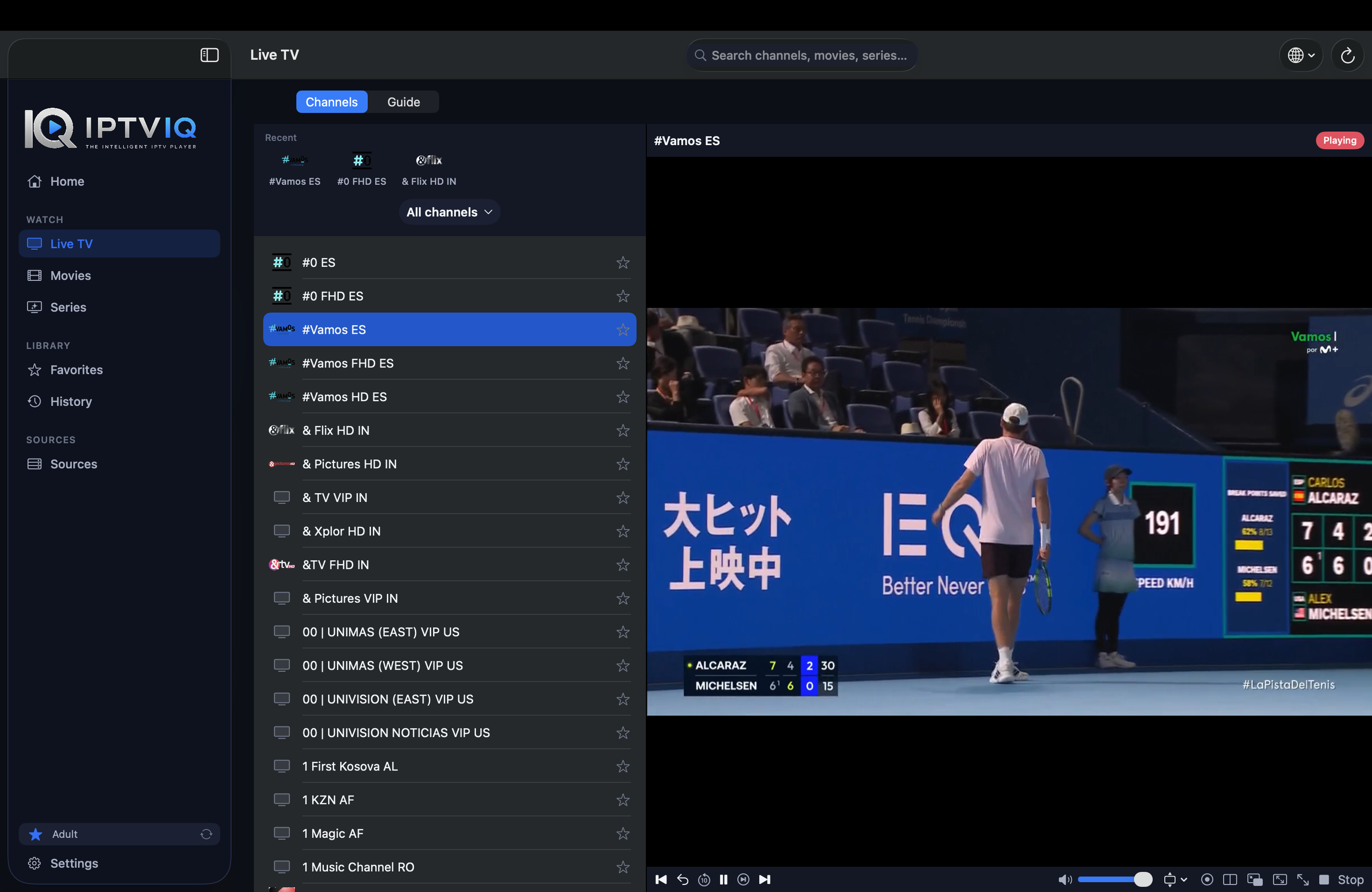
Live television is one area where interface design makes a significant difference.
A long channel list may be functional, but it rarely provides the convenience of a traditional television interface.
IPTVIQ addresses this through categorized channel browsing and navigation features.
Users can explore available channels, move between categories, and access program information when suitable data is available.
Features such as channel numbering and quick navigation help make the experience more familiar.
For viewers who regularly watch sports, news, or live events, this organization can be especially useful.
Why EPG Support Matters
An Electronic Program Guide, commonly called EPG, displays information about television programming.
Depending on the source, it may show program names, descriptions, start times, and upcoming broadcasts.
IPTVIQ supports EPG integration, including a Mini-EPG experience.
This allows users to see relevant programming information while navigating live television.
However, EPG functionality depends on the guide information supplied by the user’s IPTV source.
A player cannot guarantee complete or accurate schedules when the source does not provide reliable data.
A Dedicated Experience for Movies and Series
IPTV is not limited to live television.
Many compatible sources also provide movies and episodic television content.
IPTVIQ separates these content types into dedicated areas.
This distinction helps users navigate their available entertainment more naturally.
Instead of searching through a mixed collection of channels and video files, viewers can explore movies and series independently.
For large VOD catalogs, a structured interface can be an important advantage.
Continue Watching: Small Feature, Big Convenience
Imagine starting a movie on your Mac and stopping after 42 minutes.
When you return later, searching manually for the exact playback position can be inconvenient.
IPTVIQ includes Continue Watching functionality for supported on-demand content.
The application can remember playback progress and help viewers resume from a previously saved position.
This is particularly useful for users who regularly watch multiple movies or television series.
It brings a familiar feature from mainstream streaming platforms into the IPTV experience.
Favorites and Viewing History
A large IPTV catalog does not necessarily mean viewers want to browse every available channel.
Most people regularly return to a smaller collection of preferred content.
IPTVIQ includes Favorites functionality to make frequently accessed channels easier to find.
Viewing history adds another layer of convenience by helping users return to content they have watched.
Together, these features make a large IPTV library feel more manageable.
Multiple Profiles for Different Viewers
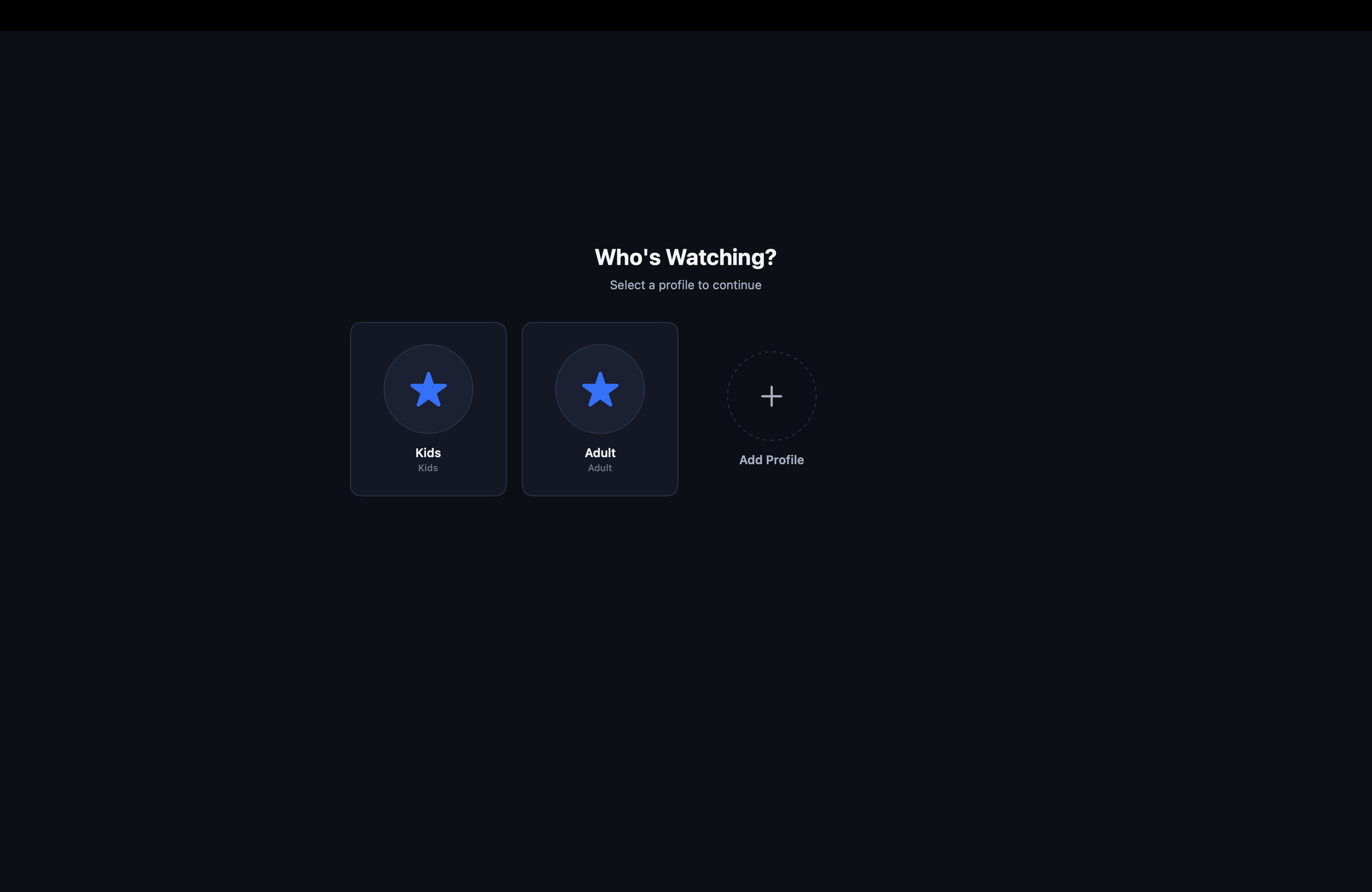
A single Mac may be used by several household members.
Each person may have different viewing preferences and favorite channels.
IPTVIQ supports separate profiles, helping create more personalized viewing environments.
This approach is especially useful when adults and children share the same application.
Rather than forcing everyone into one common viewing experience, profiles provide a foundation for individual preferences and restrictions.
Kids Profiles and Parental Controls
Parental controls are an important consideration when selecting entertainment software for a family.
IPTVIQ includes Kids Profile functionality designed to help manage what younger viewers can access.
Parents can configure approved and blocked content within a child’s viewing environment.
This is particularly useful when a connected IPTV source contains a broad selection of entertainment intended for different age groups.
As with any parental control system, parents should review the configured restrictions and verify that they work as intended.
DVR: Record Supported Live Television
Live television does not always match a viewer’s schedule.
IPTVIQ includes DVR functionality for recording compatible live streams.
Recordings can be stored locally on the Mac, allowing users to access saved broadcasts later.
Local recording also means that users should consider available disk space when saving longer programs.
Recording success can depend on source availability, network stability, stream compatibility, and the user’s device.
Users should record only content they are authorized to access and retain.
Catch-Up TV for Previously Broadcast Programs
Catch-Up TV provides another way to access television programming after its original broadcast.
Unlike DVR, which involves creating a recording, Catch-Up generally relies on an archive maintained by the IPTV provider.
IPTVIQ supports Catch-Up functionality when the connected provider makes it available.
This can be convenient for viewers who missed a broadcast without recording it beforehand.
The player does not independently supply archived programs.
Multiview: Two Live Streams on One Screen
One of IPTVIQ’s more interesting features is Multiview.
The application supports simultaneous playback of two compatible live streams.
Imagine following two football matches taking place at the same time.
Instead of constantly switching channels, users can keep both broadcasts visible.
This functionality may also be useful for news coverage and other simultaneous live events.
Performance will depend on the Mac, network connection, and the requirements of the streams being played.
Smart Recovery and Playback Reliability
Internet-based streaming can experience interruptions.
A connection may briefly drop, a source may become temporarily unresponsive, or playback may stall.
IPTVIQ includes Smart Recovery functionality designed to detect certain playback interruptions and attempt automatic reconnection.
This can reduce the need to manually restart streams after temporary problems.
However, Smart Recovery cannot guarantee uninterrupted viewing or compensate for a provider that remains unavailable.
Per-Source Proxy Configuration
Some IPTV users require more advanced network settings.
IPTVIQ supports independent proxy configuration for individual sources, including:
- Direct connections
- HTTP proxies
- HTTPS proxies
- SOCKS5 proxies
This flexibility allows different configured IPTV sources to use different connection settings.
For users managing several sources with distinct networking requirements, this can be a useful technical capability.
Privacy and Local-First Design
Privacy is another factor worth considering when selecting an IPTV application.
IPTVIQ follows a local-first approach to important application information.
Source configurations, profiles, viewing information, and related settings can remain on the Mac.
Sensitive credentials can also benefit from secure storage facilities provided by macOS.
Users who want more information about the application’s data practices should consult the official privacy policy and App Store privacy disclosures.
What About Cloud Sync?
As users move between desktop computers, televisions, and mobile devices, synchronization becomes increasingly relevant.
Consider someone who configures IPTVIQ on a Mac, adds several sources, creates Favorites, and begins watching a movie.
If the movie is stopped at minute 42, a future synchronization feature could make that resume position available on another supported device.
For example:
Mac: Movie X — 00:42:00
Cloud Sync: Playback metadata synchronized
Apple TV: Continue Watching — 00:42:00
The same concept could apply to Favorites, watch history, profiles, Kids Profile permissions, selected settings, and content restrictions.
Important: Cloud Sync is discussed here as a potential cross-device capability, not as a confirmed feature of the currently available Mac release.
Cloud Sync Does Not Require Cloud Streaming
A synchronization system does not necessarily need to carry video traffic.
The IPTV stream can continue traveling directly from the provider to the user’s device:
IPTV Provider → User’s Device
Meanwhile, lightweight application metadata could synchronize separately:
Mac ↔ Sync Service ↔ Another Device
This distinction matters.
Synchronizing a movie’s resume position does not require uploading or retransmitting the movie itself.
Similarly, large DVR recordings could remain local rather than automatically transferring between devices.
Such an architecture could provide cross-device convenience while maintaining direct playback.
Is IPTVIQ Free?
IPTVIQ has been offered as a free Mac application without advertisements, subscriptions, or in-app purchases.
However, pricing and commercial terms may change as the application evolves.
Users should consult the current Mac App Store listing for the latest information before installing.
The application itself does not include paid IPTV subscriptions or content packages.
Who Should Consider IPTVIQ?
IPTVIQ may appeal to several types of Mac users.
Live TV enthusiasts can benefit from categorized channels, EPG information, Catch-Up, and DVR.
Movie and series viewers may appreciate dedicated VOD libraries and Continue Watching.
Families can explore profiles and Kids Profile restrictions.
Sports viewers may find two-stream Multiview useful for simultaneous events.
Advanced users can take advantage of multiple source formats and per-source proxy configuration.
Users looking for a simple IPTV player may also appreciate the organized interface, although not everyone will need every advanced feature.
IPTVIQ: Strengths and Considerations
| Strengths | Considerations |
|---|---|
| Multiple IPTV source formats | Requires a user-supplied IPTV source |
| EPG and Mini-EPG | Guide quality depends on the provider |
| DVR recording | Requires local storage |
| Catch-Up support | Provider-dependent availability |
| Two-stream Multiview | Requires sufficient device and network resources |
| Profiles and Kids controls | Restrictions require appropriate configuration |
| Smart Recovery | Cannot resolve every streaming interruption |
| Native macOS availability | Other platform releases should be verified separately |
How to Get Started with IPTVIQ
Getting started involves a few straightforward steps.
- Download IPTVIQ from the Mac App Store.
- Open the application on a compatible Mac.
- Add an IPTV source you are authorized to use.
- Allow the application to load the available channel and media information.
- Explore Live TV, Movies, Series, and supported program guide data.
- Configure Favorites, profiles, and other preferences as needed.
- Start watching compatible content.
The exact configuration process will depend on the type of IPTV source being added.
Final Verdict: Is IPTVIQ Worth Trying in 2026?
For Mac users who already have compatible IPTV sources, IPTVIQ offers a compelling collection of media management and playback features.
Its strengths go beyond basic playlist compatibility.
EPG, DVR, Catch-Up, Multiview, Continue Watching, Favorites, profiles, Kids controls, and independent network settings address many of the practical challenges associated with IPTV.
The local-first approach also provides an interesting foundation for future development.
While users should evaluate the application’s current version against their own needs, IPTVIQ is worth considering for anyone looking for a more organized IPTV experience on macOS.
Explore IPTVIQ on the official website or download it from the Mac App Store.
Disclaimer: IPTVIQ is an IPTV media player, not an IPTV content provider. Users must supply their own compatible sources and ensure they have the necessary rights to access the content.